
MoCap Pipeline
A Python pipeline that takes the MoCap volume from cold start to recording in 5 minutes, and recovers from any Unreal crash in another 5.
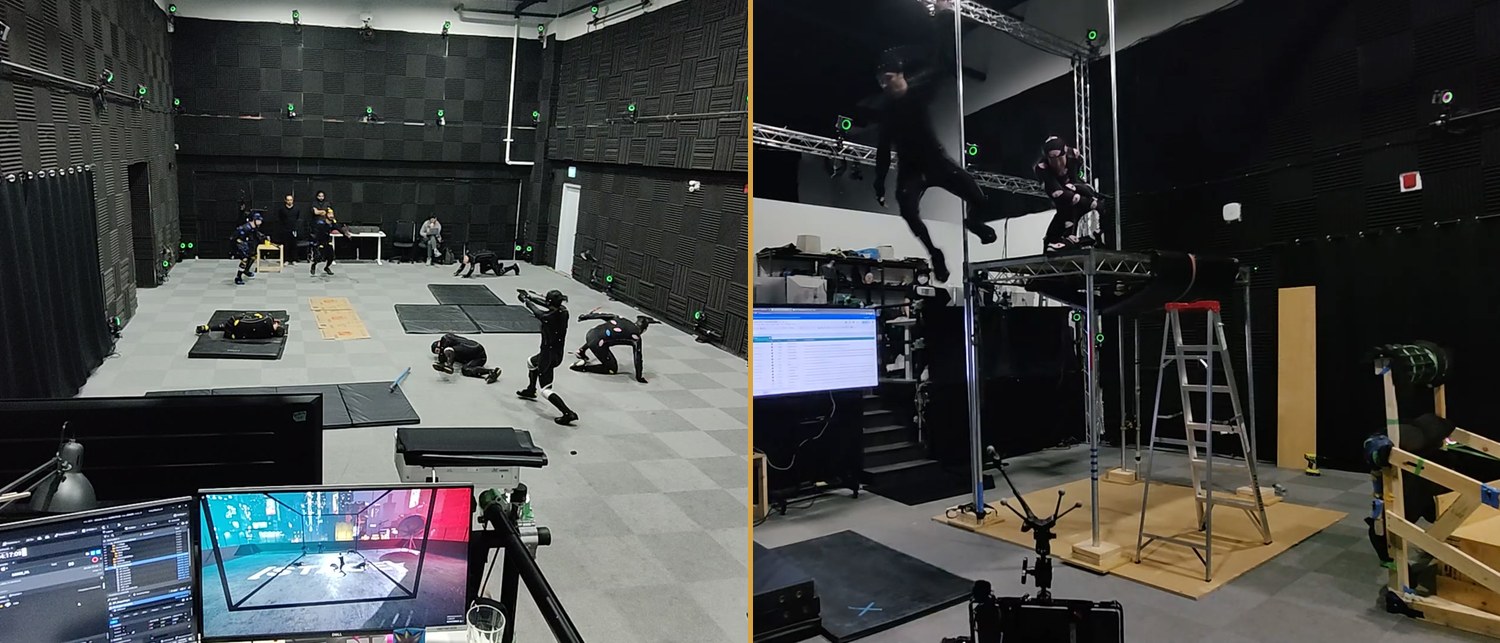
What it is
A Python pipeline for live motion-capture shoots that takes the volume from cold start to recording in 5 minutes, and recovers from any MotionBuilder or Unreal crash in another 5. Motion capture (MoCap) is the technique of recording an actor’s movements with tracking markers on their suit, then applying them live to a digital character on screen. Without this pipeline, each actor needed 40 to 60 minutes of manual setup before they could drive a character, and a single mid-shoot crash meant rebuilding the entire capture stack from scratch — another 40 to 60 minutes lost.
Built across TETE, XRTales, and Versatile Media since 2017, currently shipped as Realtime Supervisor at Versatile Media with engineer Vanna Liu implementing the toolset under my supervision.
In short: cold-start to recording in five, crash-to-recording in five.
The problem
Before this pipeline existed, setting up one motion-capture shoot in MotionBuilder was a 40-to-60-minute manual job: characterizing each digital skeleton, assigning performers to characters, and wiring up prop constraints by hand. With multiple actors and props in the same shoot, the time compounded fast.
The other persistent problem: MotionBuilder periodically adds delay or crashes outright, typically once every 2–3 hours. When that happens, the entire setup has to be rebuilt from scratch — another 40 to 60 minutes lost while the crew, director, and talent wait.
What it does
Two things, both in five minutes:
- Five-minute actor characterization. A Python tool I designed automates the marker-to-skeleton mapping. The operator markers up the actor, runs the tool, and the actor is ready to drive any digital character in the project. No manual work, no per-character setup.
- Five-minute crash recovery. A separate Python tool, driven by a JSON config file written ahead of each shoot day, can rebuild the entire MotionBuilder side of the live capture in around five seconds. The director calls a five-minute break, the operator clicks one button, and the volume is back to recording.
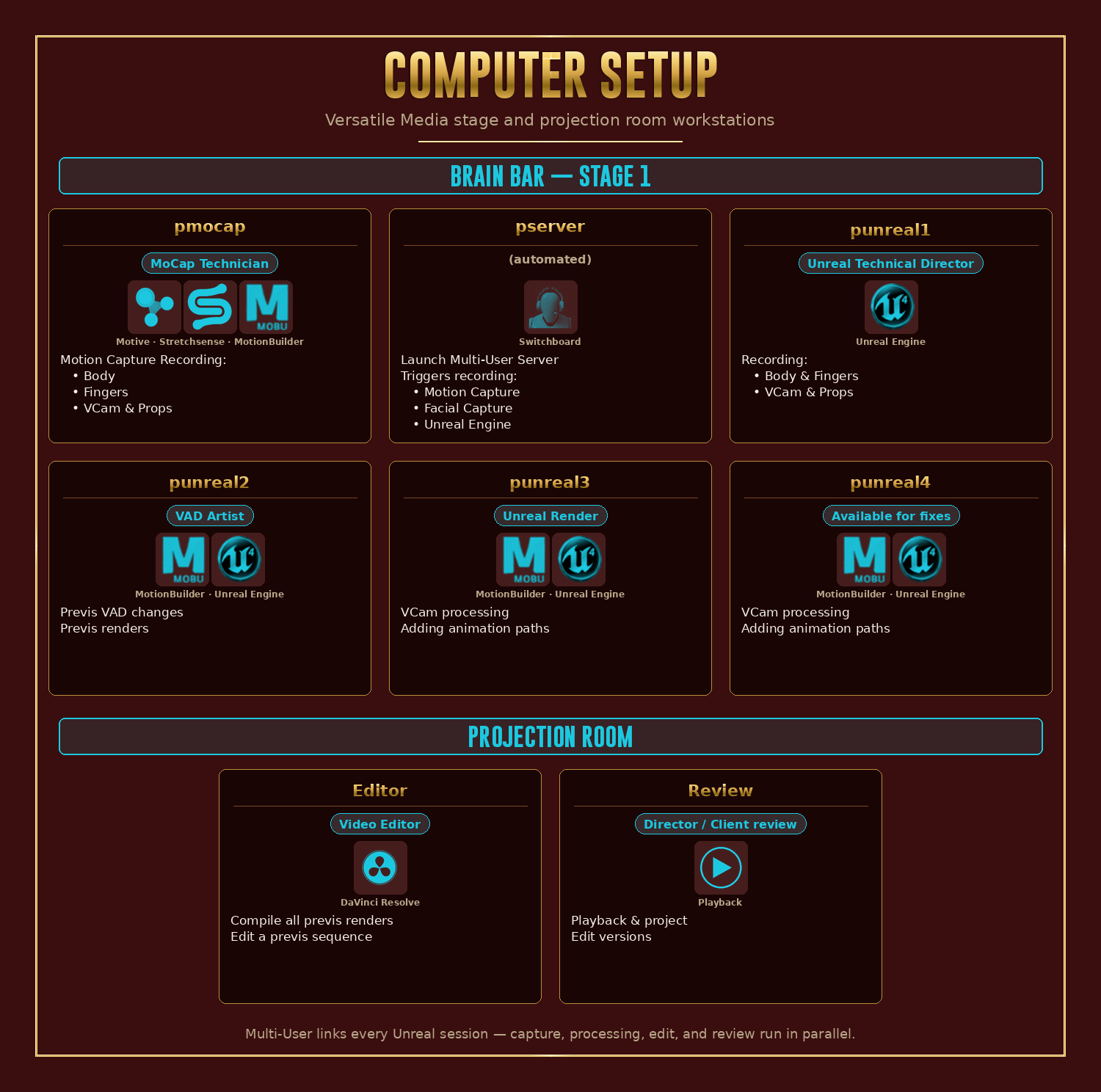
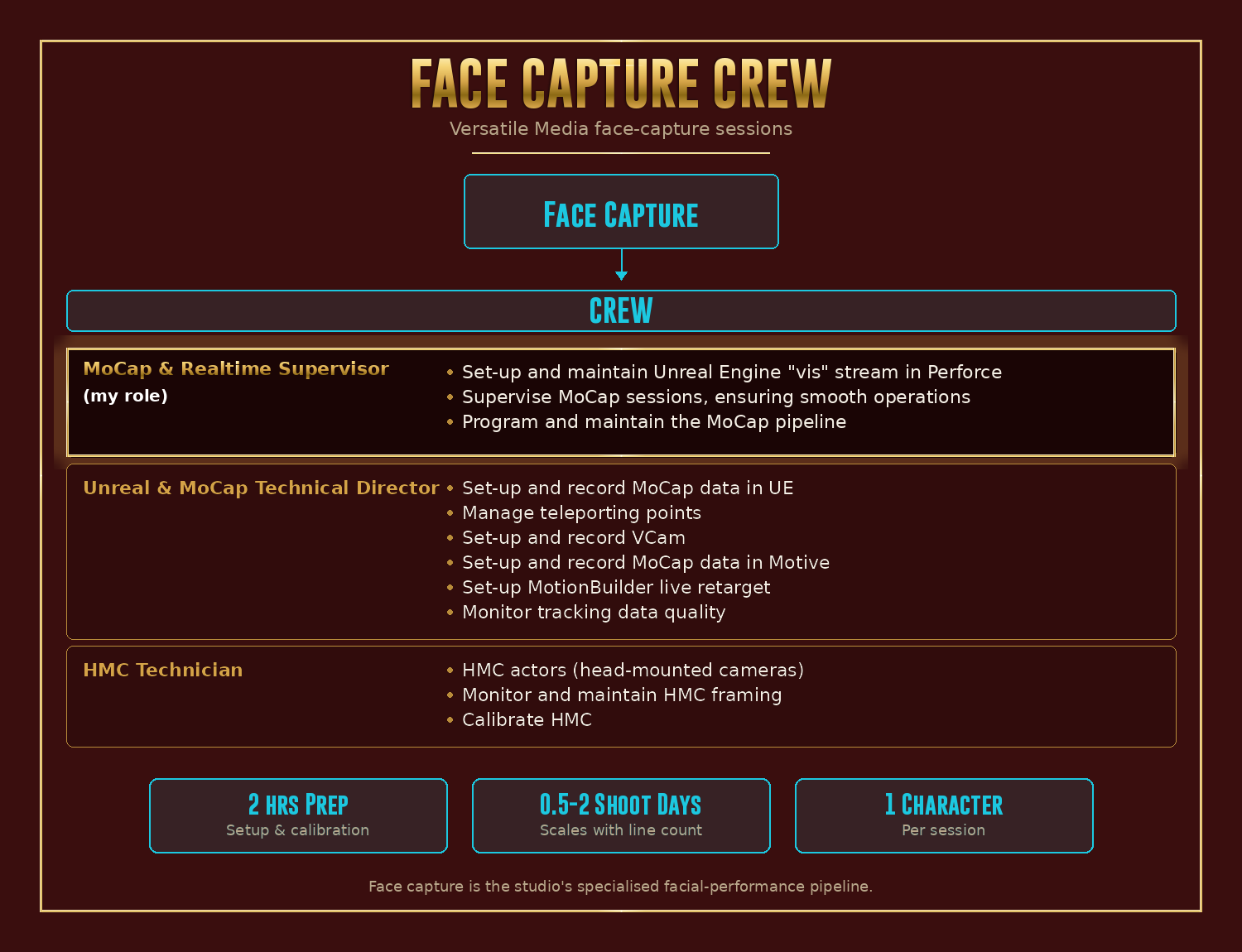
The pipeline coordinates four pieces of software (the optical motion-capture system, the glove-capture system, MotionBuilder for cleanup and preview, and Unreal Engine for real-time rendering) running across eight workstations distributed between the studio’s “brain bar” (the operator desks) and the projection room.
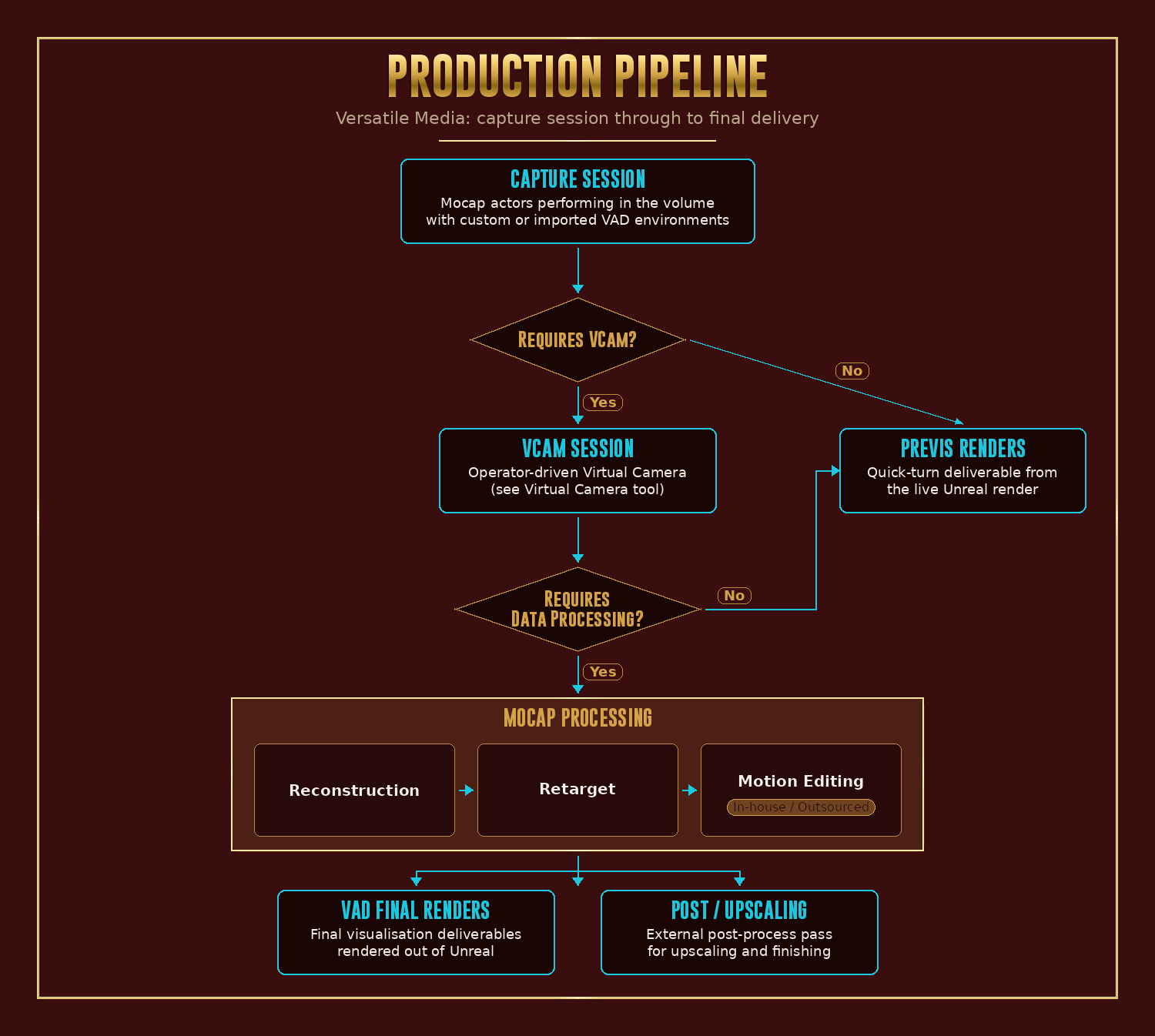
The production flow branches based on shoot type and deliverable:
Technical implementation deep dive
The pipeline runs across the full live capture stack: Motive (optical MoCap), Hand Engine (StretchSense glove capture), MotionBuilder (cleanup and preview), and Unreal Engine (real-time render and recording). Data flows in one direction (Motive and Hand Engine into MotionBuilder, MotionBuilder into Unreal), with the Python characterization layer feeding actor-to-skeleton mappings into the live retargeting at the MotionBuilder/Unreal boundary.
The crash-recovery side is preset-driven. For every capture process that has state worth preserving, there’s a corresponding preset file that captures the configuration in a single load step. Presets are organized per-project and per-shoot, refined as the studio’s needs change, and updated whenever Unreal, MotionBuilder, or Motive ships a breaking update.
The pipeline lives across the studio’s full multi-machine setup. Capture, processing, recording, and edit are all distributed across separate workstations connected through Multi-User (Unreal’s collaborative editing system), so capture sessions, processing passes, and live edits can run in parallel without contention.
The pipeline doesn’t end at the capture session. The full production flow at Versatile Media branches based on whether a shoot needs the Virtual Camera and whether the captured data needs further processing before delivery, with several end states: lightweight previs renders, full VAD renders out of Unreal, or post-processed and upscaled deliverables.
The toolset
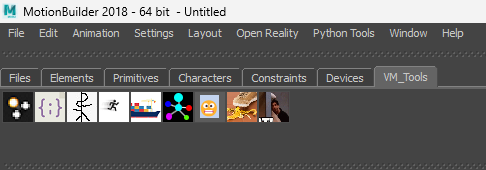
A custom MotionBuilder shelf I call MoCap Tools (labeled VM_Tools in the screenshot below, the studio’s internal namespace), five Python tools covering every step from a markered actor in the volume to finished animation data ready for Unreal. I designed all five and built the first one (Auto-Characterize) myself; Vanna Liu implemented the other four under my supervision.
Auto-Characterize
The first tool I built. Manually, characterizing each performer takes 40–60 minutes; this one does a whole roomful in one click, using each performer’s pelvis height as the biometric anchor.
Auto-Characterize details
The first tool built, and the one that proved the pipeline thesis. No UI, just a shelf-button. Pulls every actor present in Motive into MotionBuilder and characterizes them in one shot. The mechanism is biometric: with all performers standing in A-pose, the tool measures each performer’s pelvis height in the live data and uses that to drive MoBu’s characterization. Pelvis is a stable reference point that scales cleanly across actor builds, so a single click handles a roomful of performers. Replaced 40 to 60 minutes of manual joint placement per actor with seconds for the whole roster.
Full Live Setup
Sets up the entire MoBu side of the live capture stack (digital characters, props, retargeting, constraints) in five seconds, driven by a per-shoot JSON config. Doubles as the 5-minute crash recovery mechanism — when MotionBuilder or Unreal goes down mid-shoot, one click rebuilds the whole stack back to recording-ready state.
Full Live Setup details (panel UI, crash recovery, JSON config example)
The evolution of Auto-Characterize. Where Auto-Characterize only handled actor characterization, Full Live Setup brings up the entire MoBu side of the live capture stack: characters, props, retargeting, constraints, OptiTrack LiveLink, Unreal Engine LiveLink. JSON-driven: the operator browses to a config file for the day’s session, hits Automatic Setup, and the live capture stack rebuilds in around five seconds.
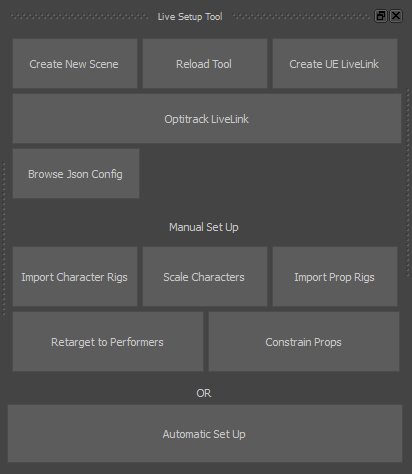
The same tool doubles as the crash-recovery mechanism. When MotionBuilder or Unreal crashes mid-shoot, the operator opens a fresh MoBu session, points Full Live Setup at the day’s JSON, and clicks Automatic Setup. Five seconds later the entire MoBu side of the live capture stack is back to recording-ready state. The director calls a five-minute break, the operator runs the rebuild, and the volume keeps shooting.
The JSON config defines everything the tool needs:
{
    "RigPathList": [
        {
            "CharRigPathList": {
                "Path1": "S:\\IMC\\Asset\\Potato\\SK_chr_potato_characterized_V3.FBX"
            },
            "PropRigPathList": {
                "Path1": "S:\\IMC\\Asset\\Frittata\\chr_frittata_V2.fbx"
            }
        }
    ],
    "PerformerCharList": [
        {
            "Set1": {
                "Performer": "Bav",
                "Character": "Potato",
                "MatchSource": true
            }
        }
    ],
    "PropConstraintList": [
        {
            "Set1": {
                "Child": "frittata_mobu:Head",
                "Parent": "OptitrackSkeletonDevice:Will",
                "Type": "Relation",
                "FunctionBoxT": "Subtract",
                "VectorPosXOffset": 0,
                "VectorPosYOffset": 0,
                "VectorPosZOffset": 0
            },
            "Set2": {
                "Child": "frittata_mobu:Egg",
                "Parent": "OptitrackSkeletonDevice:Will:Will_Head",
                "Type": "Rotation",
                "Setting": "Snap"
            }
        }
    ]
}
Three sections: RigPathList defines the character and prop FBX paths the session will use; PerformerCharList maps performers to characters one-to-one; PropConstraintList declares parent/child relationships between props and skeleton devices, with constraint types (Relation, Rotation), positional offsets, and snap behaviour. The example above is a real session config from a shoot of an IMC episode: performer Bav driving the lead character Potato, with the Frittata prop puppeted by a separate performer (Will) whose head markers drive the prop’s head and the Egg sub-component snaps to Will’s head specifically. One JSON, one click, the whole performance is wired up live.
Scale Character
Scales the digital character to match the performer one-to-one before each take, removing rubber-arm artifacts visible on stock MetaHumans driven by performers with non-default proportions.
Scale Character details
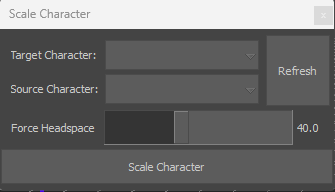
Solves a persistent pain point of MetaHuman + MoCap workflows: out of the box, MetaHumans ship with fixed default proportions, but real performers vary in build. Without per-performer scaling, the retarget bakes in compromises that are visible in close-ups (rubber-arm artifacts, off-mark reaches). Scale Character takes a Target Character (the MetaHuman rig) and a Source Character (the Motive performer skeleton) and scales the target rig to match the source’s proportions one-to-one.
Export Tool
Bakes each character’s animation onto its rig, zeroes the root bone, and exports individual FBX files in one operator action — the post-motion-edit handoff back to Unreal.
Export Tool details
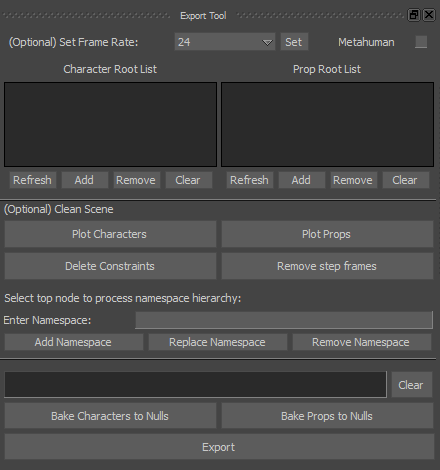
The post-motion-edit handoff back to Unreal. Bakes each character’s animation onto its rig (resolving live retargeting and constraints into per-frame keys), zeroes the root bone to (0, 0, 0) for a clean origin, normalizes namespaces, and exports each character and prop as a separate FBX file ready for Unreal import.
Retarget Tool (offline)
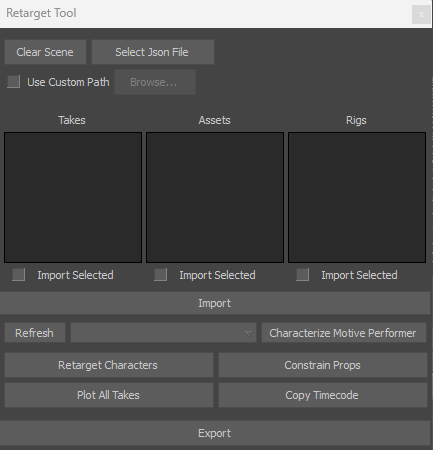
The offline counterpart to Full Live Setup. Same JSON config pattern, applied to a folder of pre-recorded takes in batch — for when a project needs reprocessing weeks or months after the shoot.
Retarget Tool details
The batch counterpart to Full Live Setup. Where Full Live Setup orchestrates a live session in real time, Retarget Tool runs the same conceptual pipeline (characterize, retarget, constrain, plot, export) over a pre-recorded set of takes, in batch, after the shoot day. Same JSON-driven config pattern as Full Live Setup, so a single config can govern both the live shoot and the offline reprocessing.
How it’s used
The pipeline has been the studio’s standard for three years, used on every motion-capture shoot in that window. Two main flavours of shoot use it:
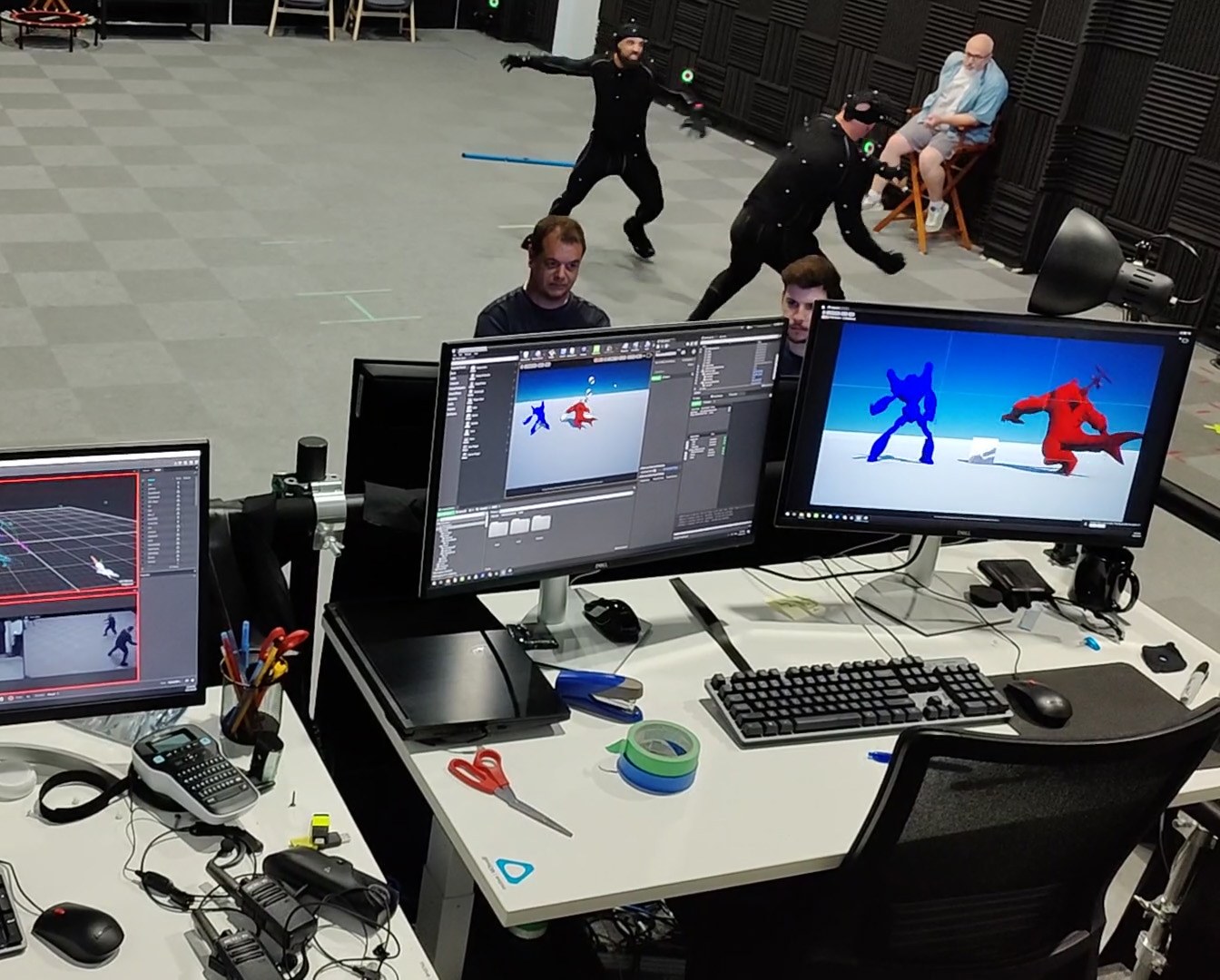
Body capture (previs). The most common flavour. A small specialised crew shoots motion-capture takes that feed directly into Unreal for first-pass animation. Up to nine performers captured simultaneously, one to two prep days depending on props and scene state.
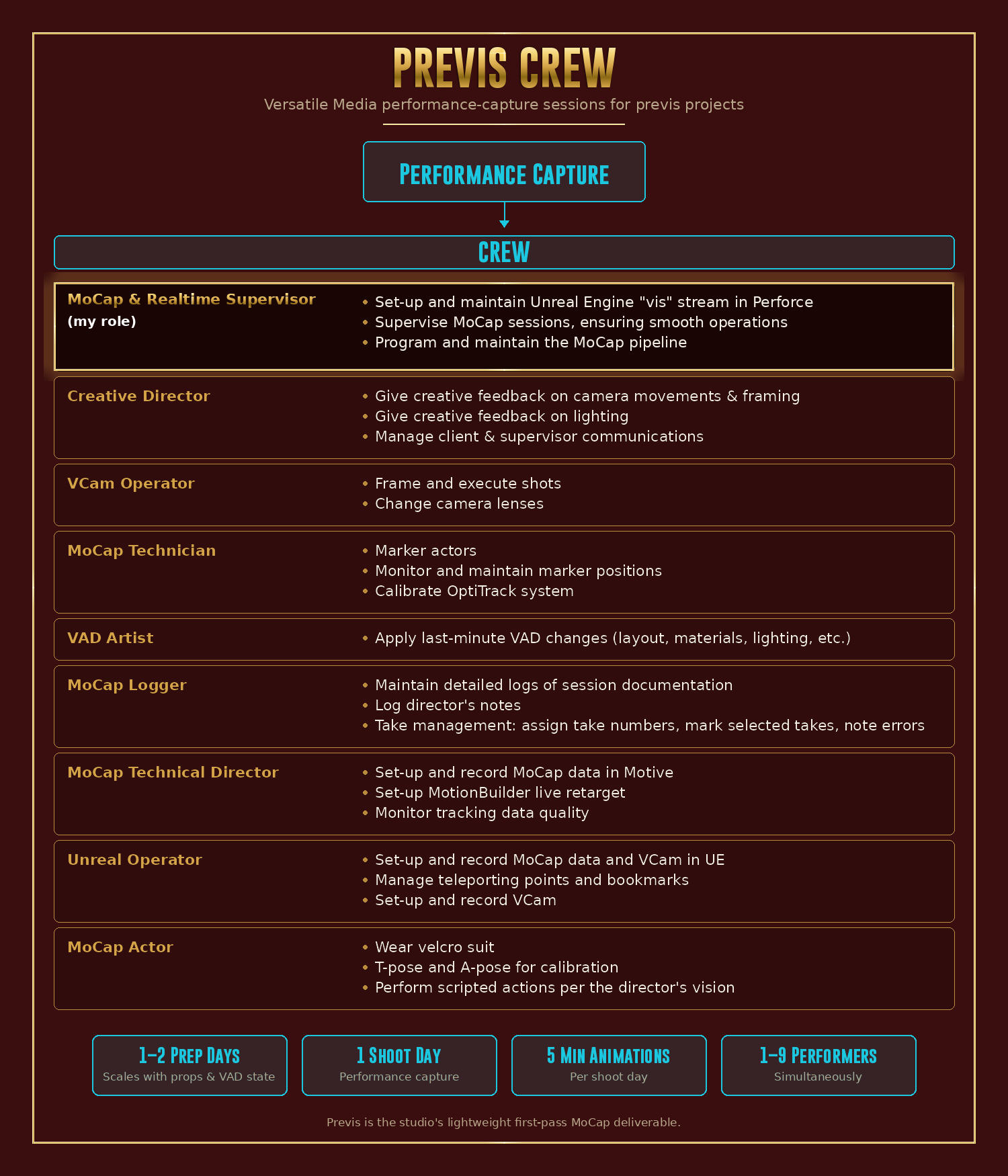
Face capture. For projects that need facial-performance capture, the pipeline runs a specialised face-capture variant with a smaller crew (three people instead of nine) and head-mounted cameras.
Face capture session pacing
Session length scales with the script: three to five pages of script per day is a comfortable target, intense emotional scenes (crying, screaming) get fewer (one to two) to avoid actor burnout, and simple scenes can push eight to ten pages per day, though that pace isn’t ideal for maintaining consistent performance quality.
Origins
TETE
My motion-capture work started at TETE (Taller Experimental de Tecnologías Emergentes), a weekend workshop I co-founded with my mentor Andrés Santín at Tecnológico de Monterrey, Guadalajara, between 2017 and 2019. Everything was manual: 40–60 minutes per actor before they could drive a character. Watching that bottleneck repeat is what eventually drove me to build the pipeline.
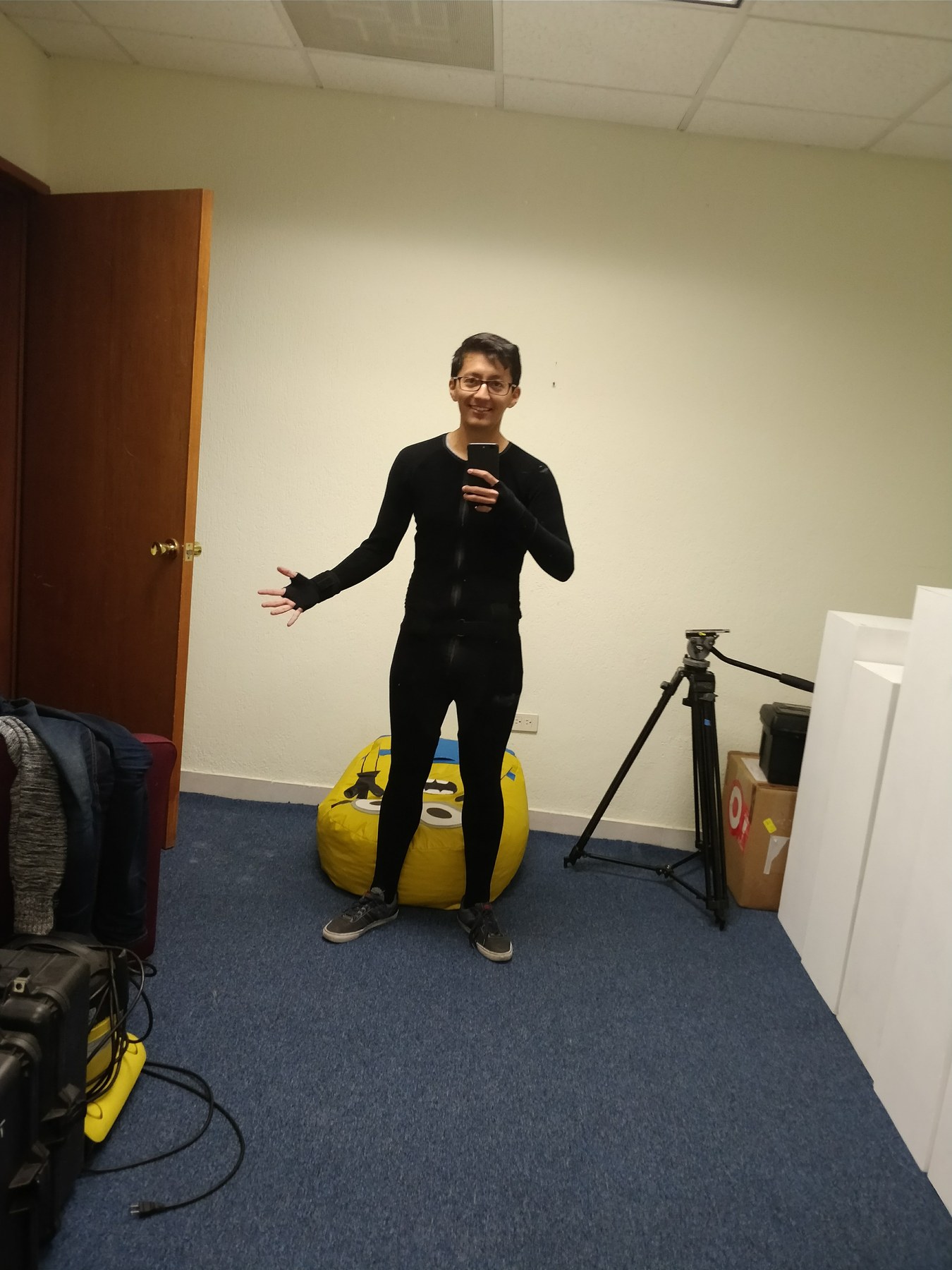
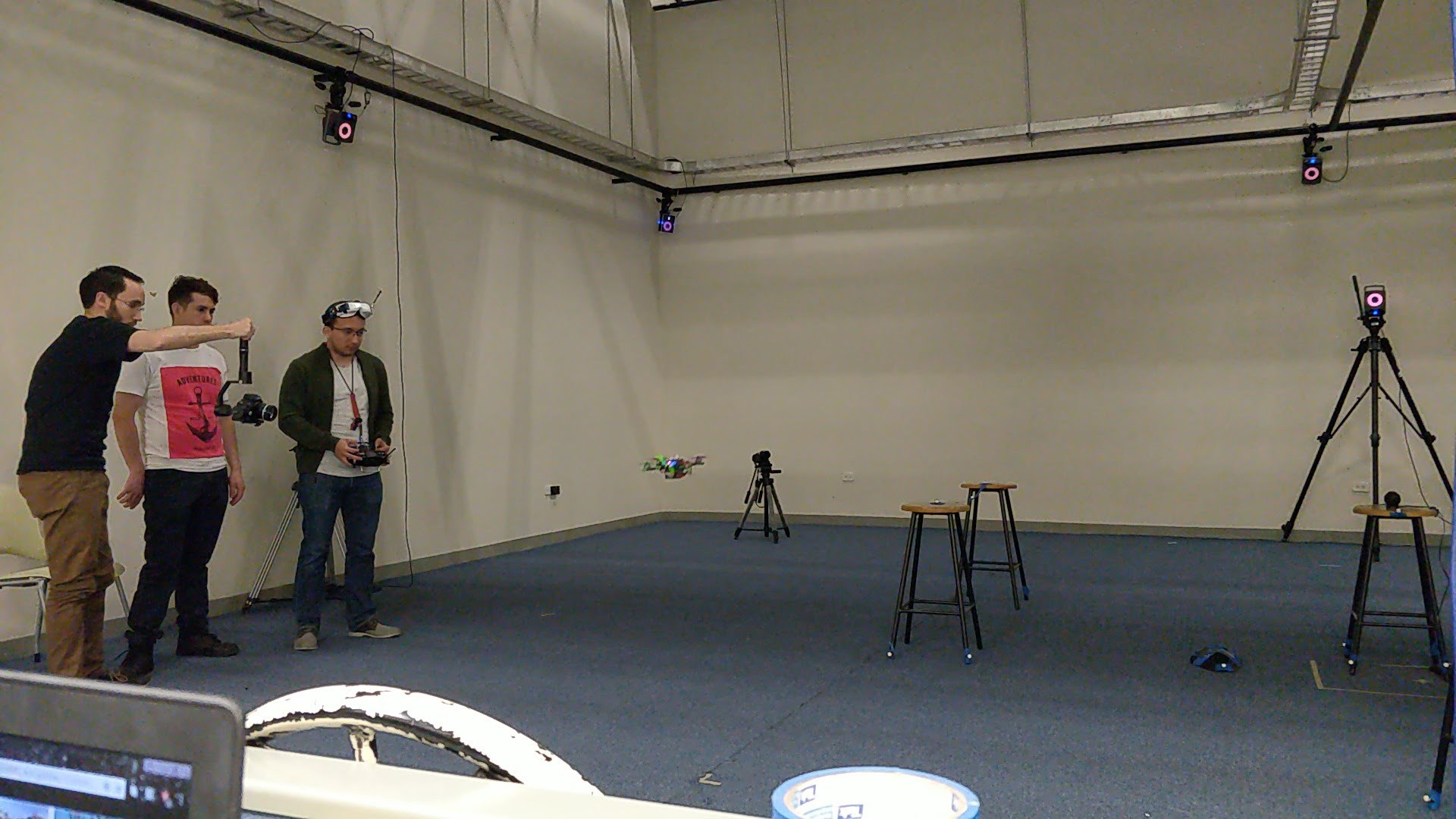
Full TETE story (Semana i workshop, marker-driven Unreal spline system, broader research scope)
(Same workshop where the Virtual Camera prototype was first built.) Andrés was my motion capture mentor; I taught him Unreal Engine.
TETE’s broader research scope also shaped how I’d later think about the pipeline. We didn’t just track actors. We tracked drones, props, and any rigid object we could put markers on, and pushed the studio’s Vicon tooling beyond its standard documentation. That broader exposure to the live data flow is what made the leap to a full-stack pipeline natural when I joined Versatile Media.
One of those rigid-body experiments became the project I’m proudest of from that era. As part of Tecnológico de Monterrey’s Semana i (the university’s mandatory cross-disciplinary workshop week) I led a 30-seat workshop on real-time MoCap and virtual production. The students built a physical obstacle track for RC cars and drones; I built the technical layer that made it run live. Vicon tracked the markered vehicles as rigid bodies around the real track. A custom Unreal spline system I wrote turned a set of marker positions placed around the physical course into a digital twin of the track at real-world scale. Each vehicle then had its own POV camera in Unreal that rendered the race from inside the car, projection-mapped onto the workshop wall in real time. Same architecture I’ve been refining ever since. Different scale.
XRTales
At XRTales in Guadalajara (2019–2020) as Motion Capture Technician & Developer. Different modality — an inertial Nansense suit instead of TETE’s optical Vicon, with different trade-offs: less per-frame accuracy, but the suit goes anywhere. I co-directed virtual-production scenes, ran capture sessions with real-time preview, supervised a team of eight, and designed the studio’s MoCap and virtual-production pipelines.
Full XRTales story (Nansense pipeline detail, projects, on-camera performance work)
Inertial trades volume calibration and marker occlusion for drift, jitter, and lower per-frame accuracy. The payoff is mobility: the suit goes wherever you do, the setup is wear-and-go, and big freeform motions (kicks, jumps, spins) stop being a marker-occlusion problem, they’re just data.
Same broad pipeline shape I’d later refine at Versatile Media (Nansense, MotionBuilder, Unreal Engine, with live preview throughout) just with a different sensor at the front of the chain. I co-directed virtual-production scenes using green screen with real-time characters driven live by the Nansense data, ran capture sessions with real-time preview for performance validation, supervised a production team of eight across modeling, rigging, and UV, and designed the studio’s MoCap and virtual-production pipelines.
I also performed in the suit myself when projects called for it: children’s content as Santa Claus building toys, full-body action in a car-racing simulator prototype that reacted physically to body input, and ad-hoc capture demos the studio used to stress-test the pipeline.
Optical at TETE, inertial at XRTales. Same target on both ends: fast, reliable performance data feeding a real-time render. The two together are the foundation the Versatile Media pipeline eventually grew out of.
At Versatile Media
I joined Versatile Media on January 4, 2022 as a part-time Technical Artist, became Performance Capture Technical Director in October 2022, and Realtime Supervisor in September 2024. Each role progression came with a scope expansion for the pipeline: characterization first, then the full capture stack and crash-recovery system, then a broader real-time visualisation infrastructure covering rigging, VFX, performance capture, and virtual camera.
Full role-by-role progression with technical detail
I joined Versatile Media on January 4, 2022 as a Technical Artist (part-time), focused on real-time pipelines in Unreal Engine: asset integration from Maya to Unreal, Blueprints, materials, and Editor Utility Widgets. In practice I was also on the floor as a MoCap Technician, running marker setup, calibrating Motive, performing actor characterizations by hand. The first version of the characterization pipeline started during this period as a side project, born out of watching the same manual 40-to-60 minute process repeat for every actor, every shoot.
In October 2022 I moved into Performance Capture Technical Director (full-time). The pipeline’s scope expanded from just characterization to the full capture stack: Motive tracking and cleanup, Hand Engine for StretchSense gloves, MotionBuilder retargeting, and Unreal Engine recording. The crash-recovery preset system was added during this period. Every active capture process got a saved preset that could be reloaded after any crash in another five minutes. Vanna Liu joined the team during this period as the engineer who implemented the toolset (see The toolset section above for the full breakdown), working off the architecture, step-by-step approach, and code-review supervision I provided.
In September 2024 I moved into Realtime Supervisor, where the MoCap Pipeline became part of a broader real-time visualisation infrastructure I was responsible for: rigging, VFX, performance capture, virtual camera, all coordinated through Unreal Engine. Perforce was implemented for the studio’s visualisation streams during this period, which let the pipeline persist across shoots and projects more reliably. The 5-minute targets continued to hold across every shoot.
In production
Three years in continuous use, every shoot in that window. The five-minute targets have held as a reliable budget on real shoot days, which is the only metric that matters.