
Rigging Pipeline
A rigging workflow for live motion-capture sessions: simplified MetaHuman skeletons for streaming, plus a standardised prop and creature rig convention.
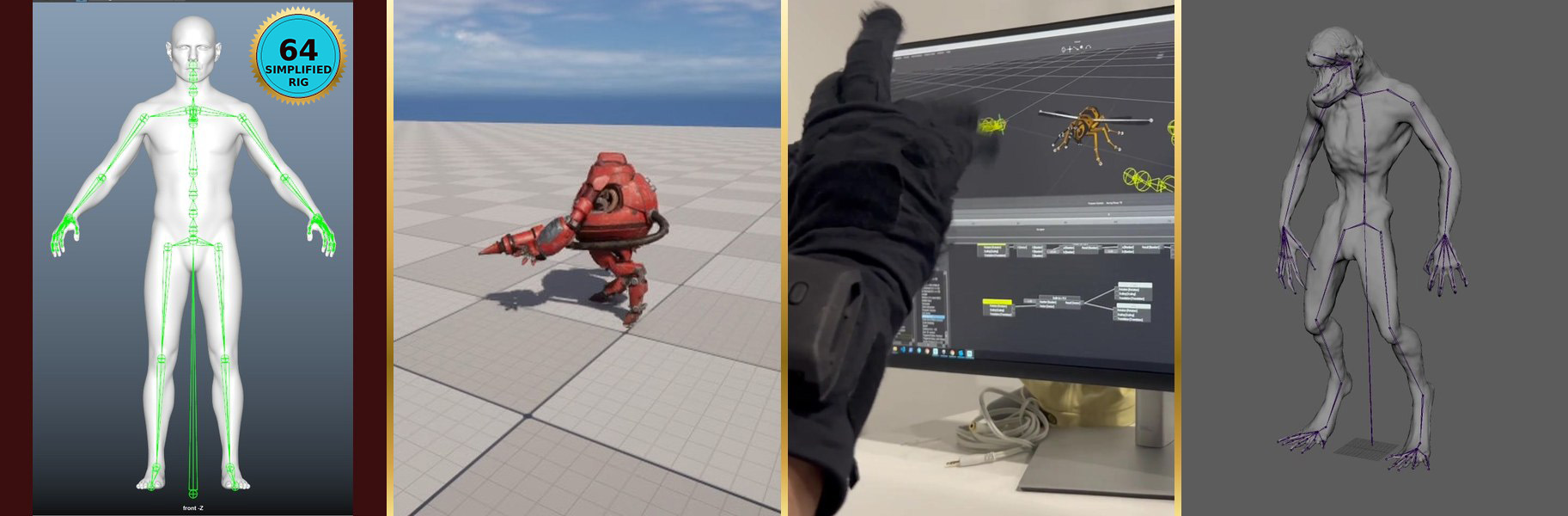
What it is
A rigging workflow for live motion-capture shoots. Two halves: a simplified MetaHuman skeleton (MetaHuman is Epic’s photorealistic digital human, stripped from 342 joints to 64) that streams cleanly through MotionBuilder Live Link (the real-time bridge between MoCap software and Unreal Engine) without dropping frames, and a standardised prop and creature rig convention so anything attached to a performer (sword, gun, vehicle, creature head) behaves predictably in real time.
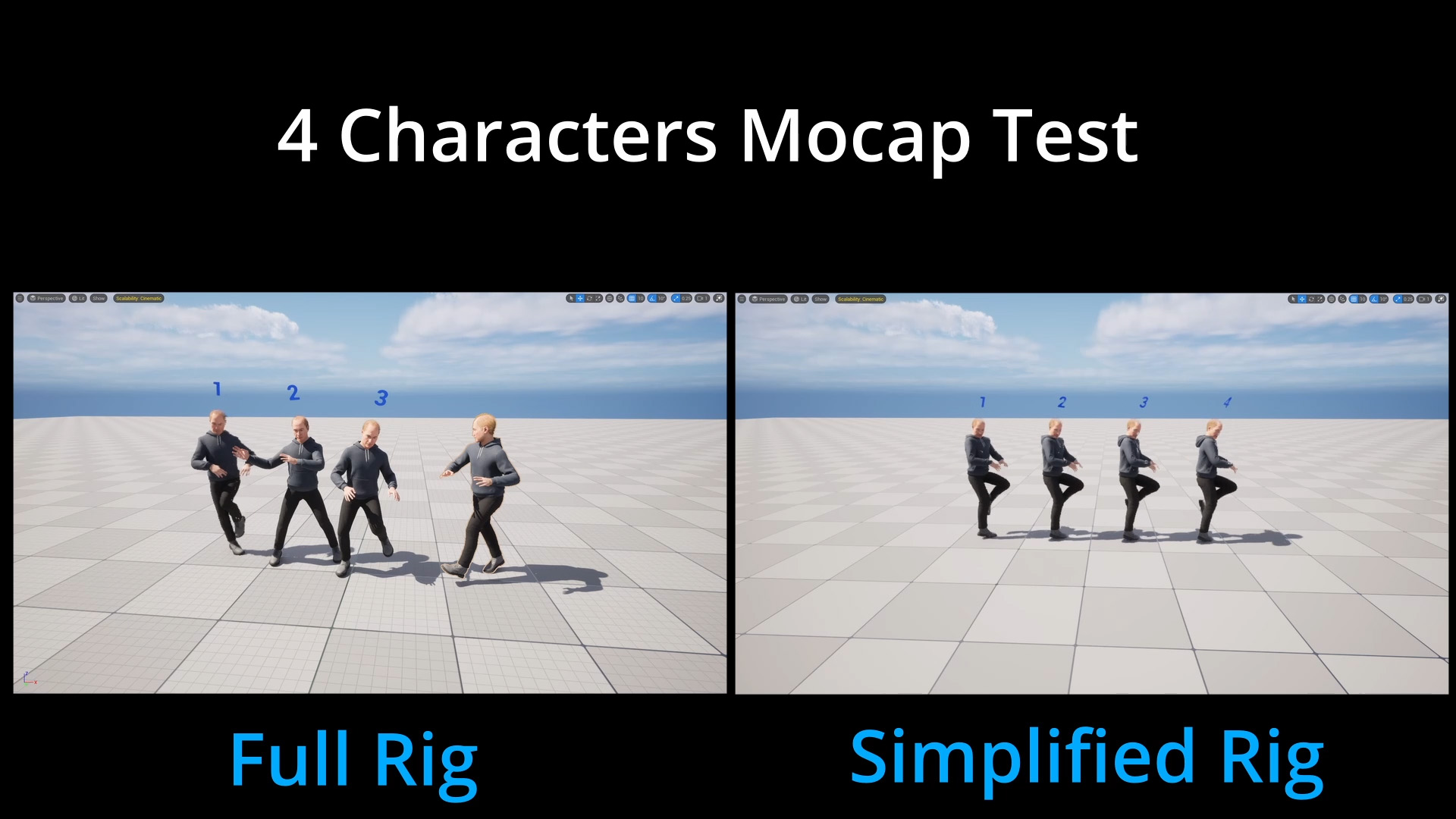
Built as Technical Artist / Realtime Supervisor at XRTales, Lifelike & Believable Animation Design, Reblika, and Versatile Media — refined across four studios since 2017 and now the default rig spec on every project I supervise. The performance win: live MetaHuman count goes from ~3 characters at 30 fps to 9 characters at 60 fps on the same hardware.
In short: rigs that survive the live performance, not just the offline render.
The problem
MetaHumans ship with a beautifully detailed skeleton: hundreds of joints, corrective bones, twist chains, face controls. Great for cinematics that render frame-by-frame. Brutal for live motion capture, where every joint has to stream through MotionBuilder Live Link at 60+ frames per second per performer.
On a multi-performer shoot, the bottleneck shows up fast. By the time you stack three or four default MetaHumans on the same Live Link session, MotionBuilder starts dropping frames, scene saves crawl, and the live animation stops feeling reliable. The animation team is fighting the rig instead of the take.
The other half of the problem is props. Without a shared convention for where the root sits, where the centre of gravity goes, and how child pieces attach, every prop rig comes in slightly differently. Attachment scripts break, the runtime can’t predict pivots, and small inconsistencies cost minutes per shot.
What it does
Simplified MetaHuman skeletons
I built a stripped-down version of the MetaHuman skeleton that keeps the joints the performer actually drives and removes the ones the live pipeline doesn’t need. The face still streams through Live Link Face on iPhone, the body still hits all the standard MotionBuilder retarget targets, but the joint count is a fraction of the stock rig: 342 joints in the default MetaHuman rig, 64 in the simplified version.
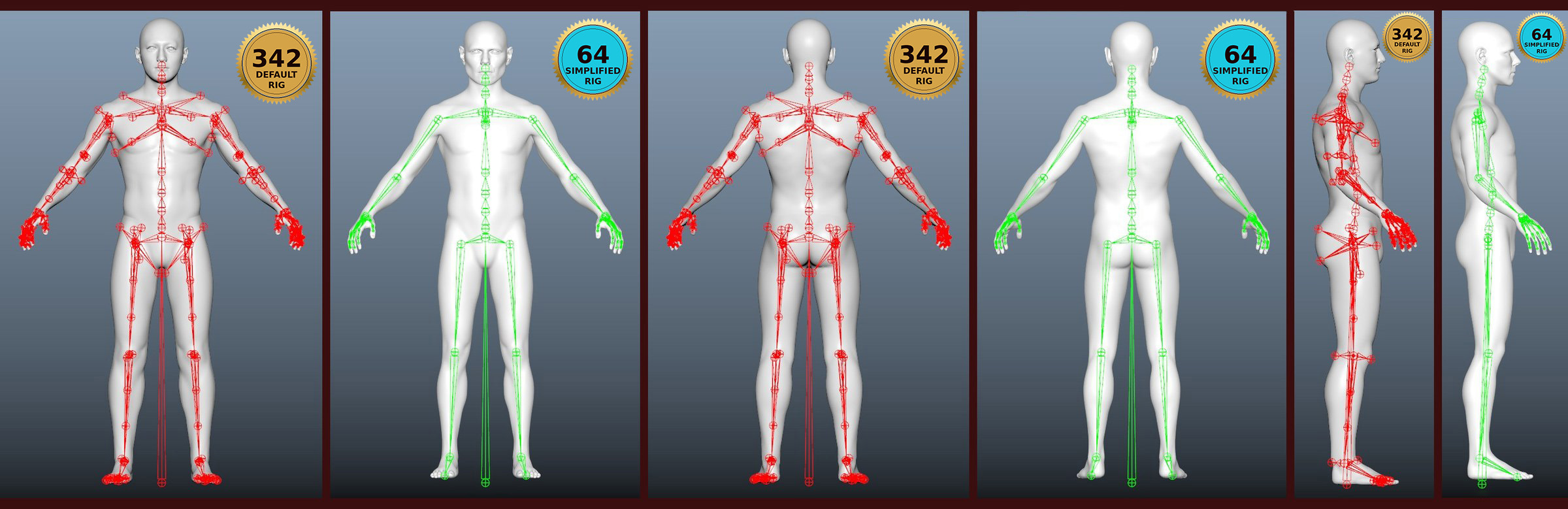
Six body presets cover the spread: S / M / L in male and female. Skin weights, the data that tells each vertex which joints to follow, transfer between presets in Maya, so a new MetaHuman drops onto the closest preset and only needs ~2-3 hours of cleanup instead of a full rebuild.
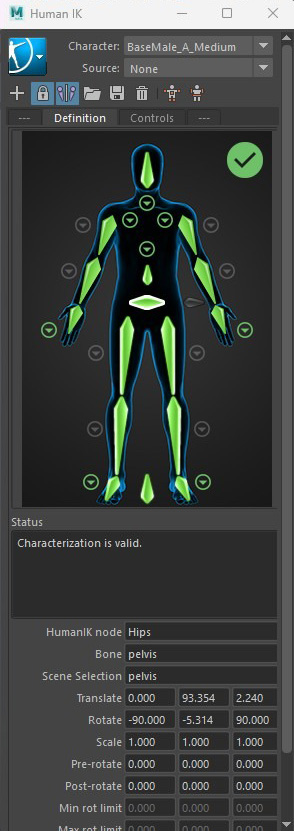
Characterization for MoCap
Once the skeleton is built, the rig still needs to be characterized before MotionBuilder can drive it from a MoCap performer. Characterization is the bone-to-section mapping that tells MotionBuilder which joint on the rig corresponds to which body part on the standard MoBu skeleton, plus a clean T-pose so the retarget has a known starting frame.
The pipeline runs two flavours depending on the character type.
MetaHumans. Fully automated. A T-pose preset from the studio library snaps onto the new skeleton, and a reusable XML mapping file (SKEL_SimpleMH_Characterization.xml) tells MotionBuilder how each joint name on the simplified rig maps to its MoBu equivalent. Both steps happen inside the ~2-3 hour budget per character because every simplified MetaHuman uses the same joint naming convention.
Excerpt from the MetaHuman characterization XML
<config_root>
  <match_list>
    <item key="Reference"     value="root"/>
    <item key="Hips"          value="pelvis"/>
    <item key="Spine"         value="spine_01"/>
    <item key="Spine1"        value="spine_02"/>
    <item key="Spine2"        value="spine_03"/>
    <item key="Spine3"        value="spine_04"/>
    <item key="Spine4"        value="spine_05"/>
    <item key="Neck"          value="neck_01"/>
    <item key="Neck1"         value="neck_02"/>
    <item key="Head"          value="head"/>
    <item key="LeftShoulder"  value="clavicle_l"/>
    <item key="LeftArm"       value="upperarm_l"/>
    <item key="LeftForeArm"   value="lowerarm_l"/>
    <item key="LeftHand"      value="hand_l"/>
    <item key="LeftUpLeg"     value="thigh_l"/>
    <item key="LeftLeg"       value="calf_l"/>
    <item key="LeftFoot"      value="foot_l"/>
    <item key="LeftToeBase"   value="ball_l"/>
    <!-- right-side bones mirror the left half above -->
  </match_list>
</config_root>
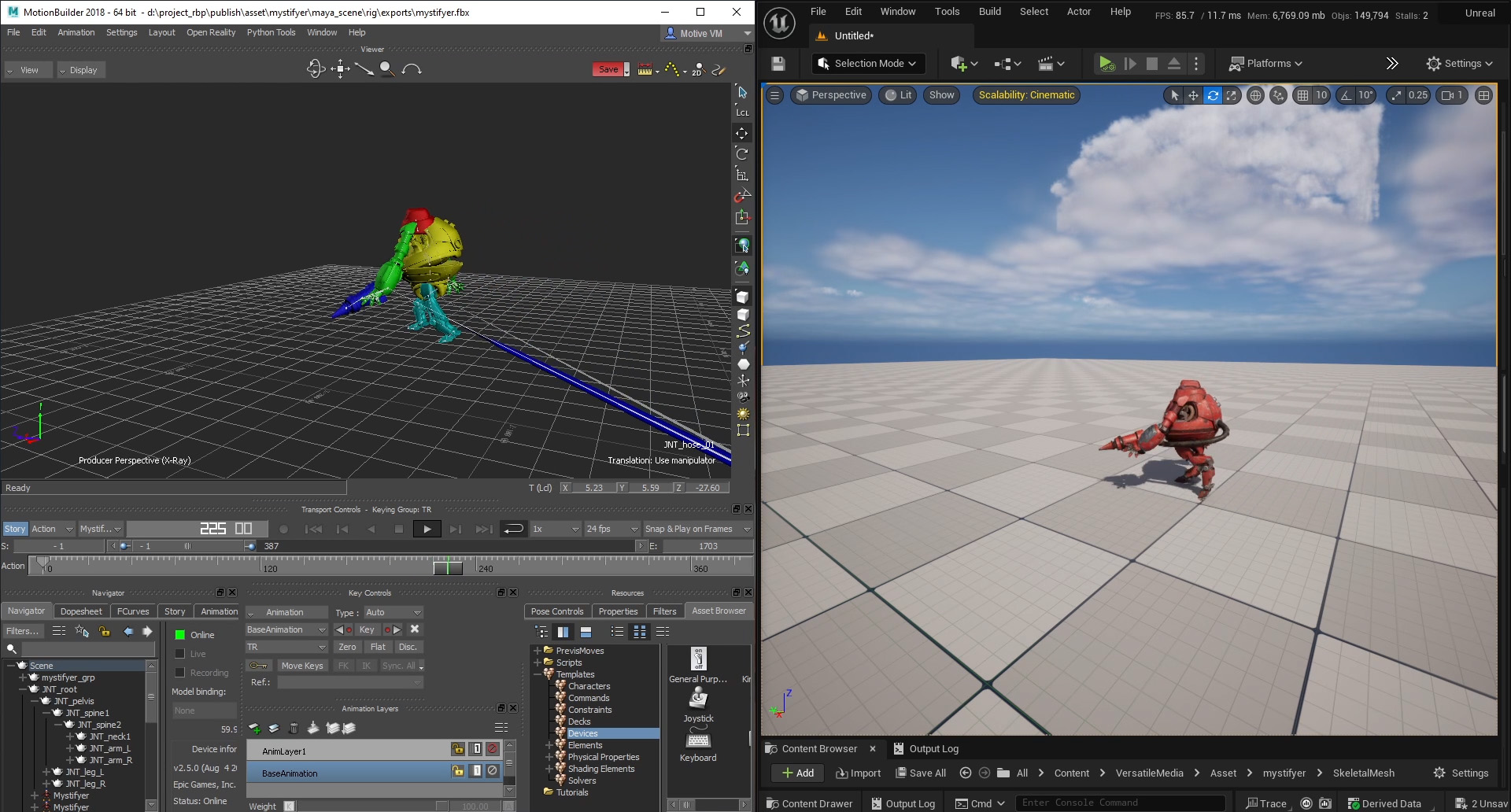
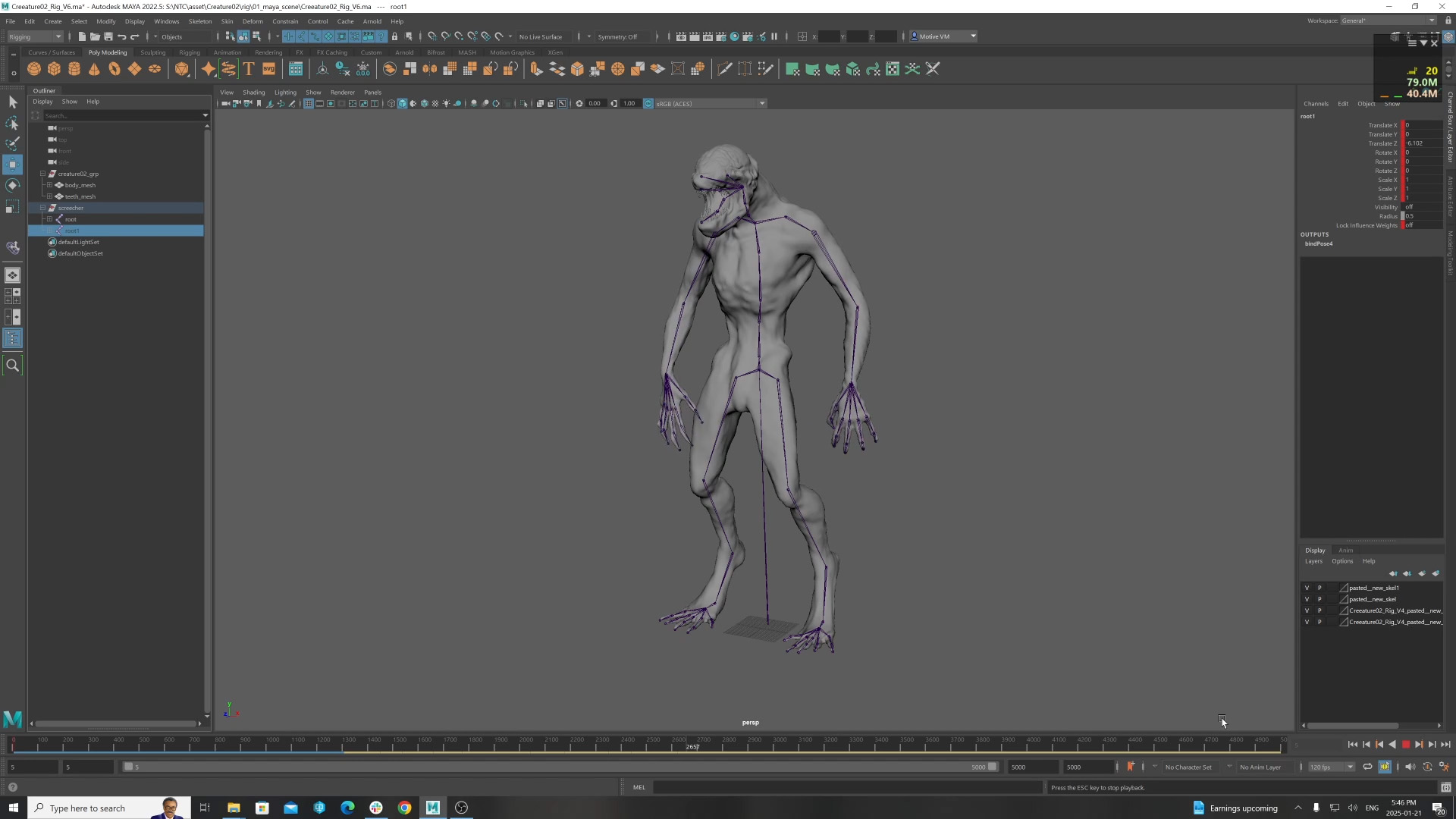
Creatures and non-humanoid rigs. First time a new creature comes through the pipeline, the T-pose has to be set manually (because there’s no library preset to snap to) and the joint mapping is done by hand in MotionBuilder. Once the mapping is good, the tool emits an XML preset and a T-pose snapshot for that creature type. Future versions of the same creature (new geometry, refined topology, etc.) reuse the existing preset and skip the manual step, as long as the rig hierarchy and joint rotations don’t change.
Standardised prop and creature rigs
A shared convention: root at world 0,0,0 for predictable spawning, centre of gravity at the prop’s natural pivot point, multi-piece props as children of the COG so they move as one unit. Vehicles, bikes, guns, swords, and creature rigs all follow the same skeleton hierarchy, which means the runtime attachment system handles them identically. One spec, every prop predictable.
How it’s used
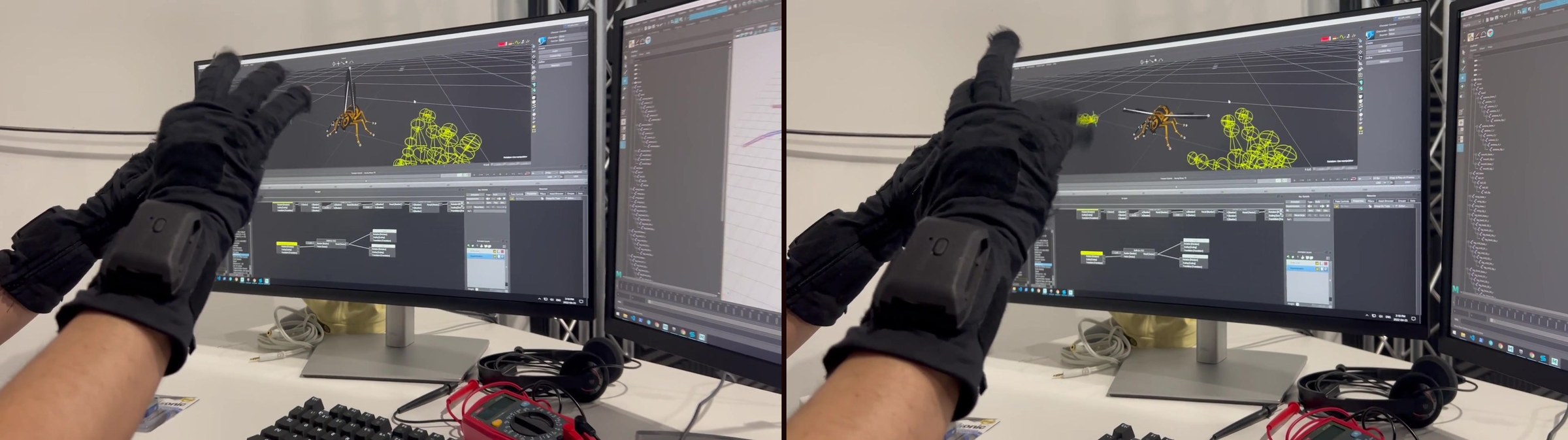
- 60 fps in MotionBuilder with 9 simplified MetaHumans in one scene. Tested live during a virtual production rehearsal with 9 performers on the same Live Link bus, no dropped frames. The same scene with 3 default MetaHuman rigs drops to ~30 fps or below, animation gets choppy and frames go missing randomly. Headroom past 9 is plausible but not stress-tested.
- Fast scene saves — minutes back per save cycle on heavy scenes, which adds up across a full day of takes.
- Per-character setup ~2-3 hours after preset selection, compared to a full from-scratch rebuild.
Origins
Started during R&D at university around 2017, before MetaHumans existed in the form they ship today. The first version was about getting custom characters streaming through MotionBuilder Live Link without the rig becoming the bottleneck. The lessons from that R&D carried into TETE’s early shoots and then forward into every studio since.
How it evolved
Refined across four studios: TETE (early Live Link integration), XRTales (multi-performer scaling), Lifelike & Believable Animation Design (face + body parity), and Versatile Media (production-stable preset library). The simplified-MetaHuman preset skeletons stabilised in 2023 and have been the default character rig spec on Versatile Media shoots ever since.
In production
Used on every motion-capture shoot I supervise at Versatile Media. New MetaHumans drop onto the preset closest to the performer’s build, skin weights transfer, face Live Link wires up to iPhone, and the character is shoot-ready the same day. Props follow the shared convention so the runtime attachment behaves identically across every shot.